

How to Choose an Ergonomic Chair for Healthy Posture
We spend a lot of time sitting — whether at our desk working, reading, or browsing. Choosing the right chair isn’t just about comfort; it’s about protecting your spine, reducing fatigue, and encouraging healthy posture. In this article, I’ll cover how to choose an ergonomic chair, explain what “ergonomically optimum body posture” means, and show you a few example chairs that meet those standards.

What Is the Ergonomically Optimum Body Posture?
A good ergonomic posture is often described as a “neutral and dynamic” sitting position — not rigid, but properly aligned for long-term comfort.
Here are key elements of that optimum posture:
-
Spine supported & natural curve maintained — Your back should rest fully against the chair’s backrest, with support for the natural inward curve of your lower spine (lumbar region).
-
Hips, knees, and ankles at ~90° angles — Thighs parallel to the floor, knees and ankles roughly vertical; feet flat on the floor (or on a footrest if needed).
-
Shoulders relaxed, elbows close to body, forearms roughly horizontal — Forearms rest lightly (or hover) while typing, shoulders remain down, and wrists stay neutral.
-
Dynamic sitting & posture variation — Rather than locking into a rigid seat, a good ergonomic setup encourages subtle shifts in position, adjusting tilt, recline, or seat depth as needed.
This posture helps reduce strain on the spine, improves circulation in legs, supports proper joint alignment, and reduces fatigue over long sitting sessions.

What to Look For: Key Features of an Ergonomic Chair
When shopping for a high‑quality ergonomic chair, look for these essential features:
-
Adjustable seat height: Your feet should rest flat on the floor, with thighs roughly parallel to the ground — typically a seat height range around 16–21 inches works for most people.
-
Seat depth and contoured seat pan: The seat should support most of your thighs without pressing behind your knees. There should be ~2–4 inches (or a 2–3 finger‑width) gap between the seat’s front edge and the back of your knees. A waterfall‑front seat edge (rounded down) helps prevent pressure on thighs.

-
Adjustable backrest with lumbar support: The backrest should support the natural inward curve of your lower spine. Ideally lumbar support is adjustable in height and depth to match your body.

-
Backrest recline/tilt & dynamic movement: Chairs that allow you to recline or shift position — rather than locking you in one posture — reduce pressure on the spine and encourage circulation.

-
Adjustable armrests: Armrests should allow your arms to rest lightly with shoulders relaxed and elbows at ~90°. Adjustable height (and ideally width/depth) helps accommodate different body sizes and desk tasks.

-
Stable base & mobility: A five‑point base with smooth-rolling casters is better for safety and freedom of movement than a four‑leg chair.
-
Breathable, comfortable materials: Breathable mesh or cloth helps maintain comfort over long sitting sessions; seat padding should be dense enough to avoid quick flattening.

Example Ergonomic Chairs
Quick takeaways
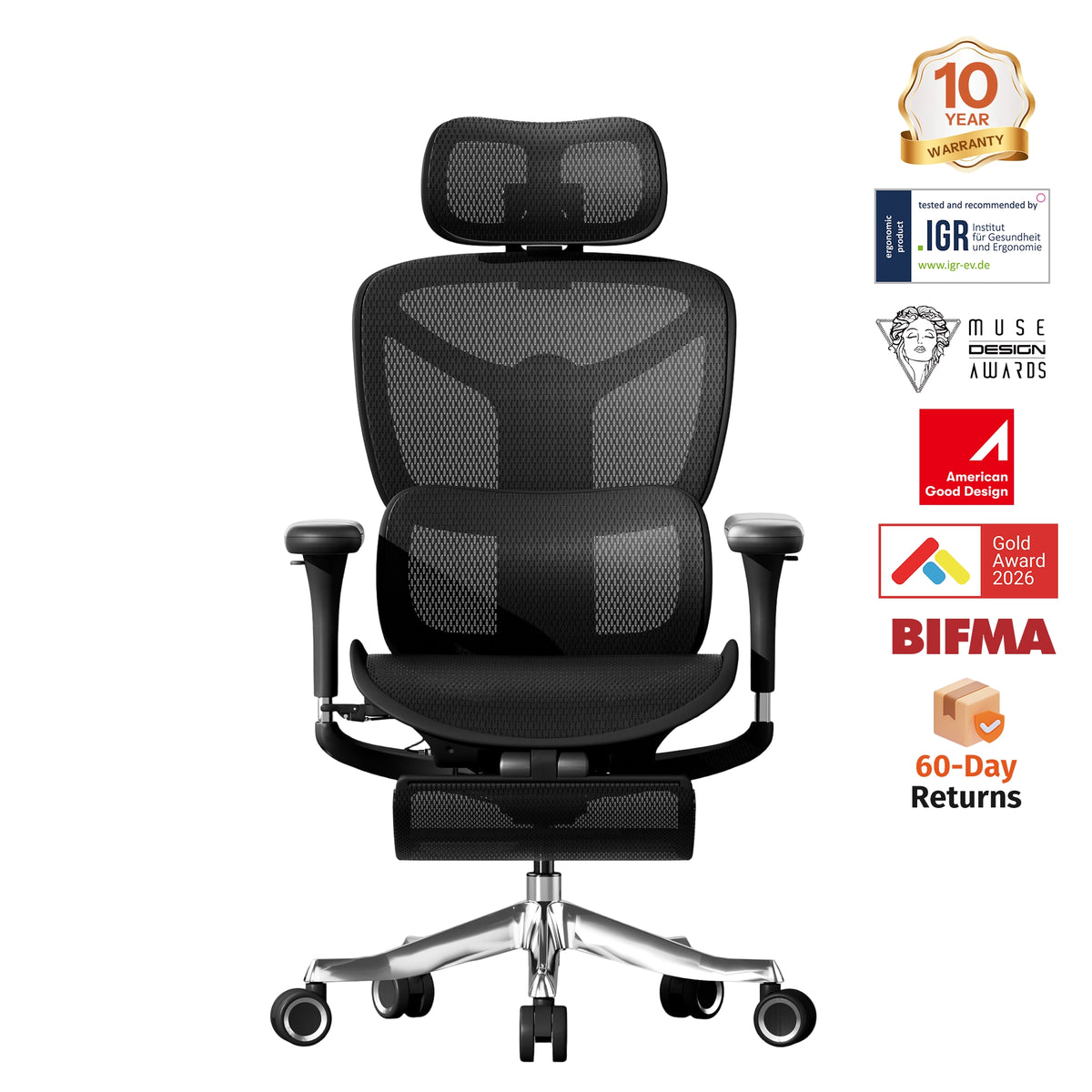
WELAX S9 Basic Ergonomic Chair
-
One-touch controls make posture adjustments fast and easy.
-
Backrest reclines up to 130° for flexible sitting positions.
-
Adjustable seat depth/height + 6D armrests for a fully customized fit.

Why Ergonomic Chairs Matter — Beyond Just “Comfort”
Investing in a proper ergonomic chair isn’t simply about a “better seat.” Here’s why it matters:
-
Spinal health & posture support: Without proper lumbar support and seat/back adjustments, prolonged sitting can flatten the lower‑back curve, leading to slouching and long-term spinal strain.
-
Reduced fatigue and improved circulation: A chair that supports proper posture and allows leg space helps blood flow, reduces pressure on thighs and buttocks, and prevents leg numbness.
-
Prevention of neck, shoulder, and wrist strain: Adjustable armrests, proper seat height, and correct alignment of elbows and wrists reduce tension in upper body — especially important if you type for long hours.
-
Better productivity and comfort during long sessions: A well‑designed chair helps you stay focused longer, without frequent discomfort breaks — whether working, studying, or gaming.
Final Thoughts
Choosing the right ergonomic chair means thinking beyond how “nice” it looks — it’s about how well it supports your spine, posture, and overall comfort for hours of sitting. By focusing on adjustability (seat height, seat depth, backrest, armrests), lumbar support, and materials, you can find a chair that helps you sit in an ergonomically optimum posture and reduces the risk of fatigue or back pain.
If you spend long hours at a desk — like many of us working from home or writing — an ergonomic chair is not a luxury, it’s an investment in your long‑term health and productivity.


