


What Makes an Ergonomic Office Chair Worth Choosing for Long Hours? A Guide to Body Fit and Consistent Support
For people who spend long hours working at a computer every day, choosing an ergonomic office chair for long hours involves several important considerations. The chair's basic dimensions and adjustment ranges need to fit the user's body, the lower back, upper back, and arms should receive stable support, and the chair should allow natural posture changes according to different working needs. Frequently used adjustments should also be easy to operate.
Why Initial Comfort Alone Is Not Enough to Evaluate a Chair for Extended Use
During a short trial, a soft seat cushion can easily leave a favorable first impression, causing users to overlook the importance of seat depth and lumbar support adjustments. Problems such as unsuitable seat depth, poorly positioned lumbar support, or armrests that sit too far apart may only become noticeable after prolonged use.
People who spend extended periods working at a desk typically alternate between focused work and short breaks. Their body position and posture change accordingly. An office chair designed for extended use therefore needs to provide suitable support in different sitting positions rather than requiring the user to remain in one fixed posture.
The Occupational Safety and Health Administration (OSHA) also emphasizes in its computer workstation guidance that even when a chair is properly adjusted, users should change positions regularly and get up to move periodically. The purpose of an office chair is to improve sitting posture, fit, and support—not to encourage people to remain motionless for hours.
Body Fit Is the First Step in Choosing an Office Chair for Long Hours

The basic dimensions of an ergonomic chair directly affect whether users can sit naturally against the backrest. When choosing a chair, seat height, seat depth, and seat width should be checked first, rather than relying solely on the manufacturer's recommended height range.
Seat Height Should Allow Both Feet to Rest Securely
A suitable seat height should allow both feet to rest firmly on the floor or a footrest while keeping the thighs in a relatively natural position.
If the seat is too high, some users may slide forward in an effort to place their feet on the floor, gradually losing contact between the lower back and the backrest. If the seat is too low, the legs may become excessively bent.
The availability of seat height adjustment is therefore only the starting point. It is more useful to check whether the chair's minimum and maximum seat heights match the user's body dimensions.
Seat Depth Adjustment Determines Whether the Thighs Are Properly Supported
Seat depth affects how much support the thighs receive and whether the user can sit far enough back to reach the backrest.
When the seat is too deep, people with shorter legs may need to move forward to avoid pressure from the front edge of the seat against the backs of their knees. If the seat is too shallow, people with longer legs may not receive enough thigh support.
How Can You Tell Whether Seat Depth Is Right?
When trying a chair, sit naturally against the backrest and check whether there is some space between the front edge of the seat cushion and the backs of your knees. At the same time, make sure your thighs receive adequate support.
For office chairs shared by multiple users, as well as for people with noticeably longer or shorter legs, adjustable seat depth is a particularly practical feature.
Lumbar Support Should Accommodate Both Position and Posture Changes
During extended desk work, the ability of the lower back to maintain natural contact with the backrest affects the stability of the overall sitting posture.
Lumbar Support Position Usually Matters More Than How Strong It Feels
Lumbar support should align with the natural inward curve of the lower back. If it sits too high or too low, even strong support may fail to provide suitable contact.
Users of different heights and torso proportions also have different requirements for lumbar support height and forward-and-back adjustment. When buying an ergonomic chair, it is worth checking whether the lumbar support can be positioned to suit individual needs.
For people who change sitting positions frequently, adaptive lumbar support offers another benefit: it may help the lower back maintain contact with the backrest when moving from an upright position into a slight recline. However, a dynamic support mechanism is not essential for everyone. How well the support actually fits the user remains the deciding factor.
A Recline Mechanism Should Support Posture Changes, Not Simply Offer a Larger Angle
Working at a desk for long hours does not mean keeping the body upright at all times. People generally sit more upright when using a keyboard, may recline slightly while reading or attending meetings, and may prefer a more relaxed position during short breaks.
A suitable ergonomic chair should therefore have a well-designed recline mechanism that allows users to move between different positions according to their needs while maintaining stable back support.
Multi-Position Recline Is More Useful Than Maximum Recline Angle Alone
Multi-position recline allows users to adjust their sitting position according to the task at hand. However, if the recline resistance is too high, lighter users may struggle to push the backrest backward. If it is too low, the chair may feel less stable.
The recline mechanism should therefore also suit the user's body weight and preferred way of operating the chair.
Armrests and Seat Materials Also Affect Comfort During Extended Desk Work
Multi-Directional Adjustable Armrests Should Work With Your Desk Setup
Armrest height, lateral spacing, and forward-and-back positioning all affect how closely a user can sit to the desk.
The advantage of multi-directional adjustable armrests is that they can accommodate different activities, including typing, using a mouse, and reclining.
Mesh or Foam: Which Should You Choose?
Breathable mesh generally promotes airflow and can be suitable for warmer office environments. Foam cushions, on the other hand, often provide a softer, more enveloping feel.
When choosing between these materials, it is also worth checking mesh tension, foam resilience, pressure at the front edge of the seat, and whether the material continues to provide stable support after prolonged use.
Material choice depends on personal preferences and the working environment. There is no single option that suits everyone.
Which Features Should You Prioritize When Buying an Office Chair for Long Hours?
When two chairs offer a similar number of features, their value can be assessed by considering how frequently those features will be used and how well they help the chair fit the body.
|
Priority |
What to Check |
Main Question It Addresses |
|---|---|---|
|
High |
Seat height, seat depth, seat width |
Do the chair's basic dimensions fit the body? |
|
High |
Lumbar support position, backrest support |
Can the lower and upper back maintain natural contact with the backrest? |
|
High |
Recline resistance, locking positions |
Can the user change sitting positions smoothly? |
|
Medium–High |
Armrest adjustment range |
Do the forearms, shoulder width, and desk setup work together? |
|
Medium |
Mesh or foam performance |
Does the material provide suitable ventilation and stable support? |
|
As needed |
Headrest, footrest, deep recline |
Are these useful for reading, resting, and other secondary activities? |
How Should You Test a Chair If You Can Try It in Person?
Do more than sit in the chair for a few minutes. Adjust the seat height and depth first, then simulate typing, mouse use, a slight recline, and normal turning movements.
Observe whether the lumbar support shifts out of position, whether the armrests continue to support the forearms, and whether the backrest maintains contact with your body.
How Can You Evaluate Fit When Buying Online?
Focus on the actual adjustment ranges, including minimum seat height, seat depth travel, inward armrest adjustment, backrest height adjustment, and recline locking positions.
If these specifications do not accommodate your body dimensions, additional features are unlikely to compensate for a poor basic fit.
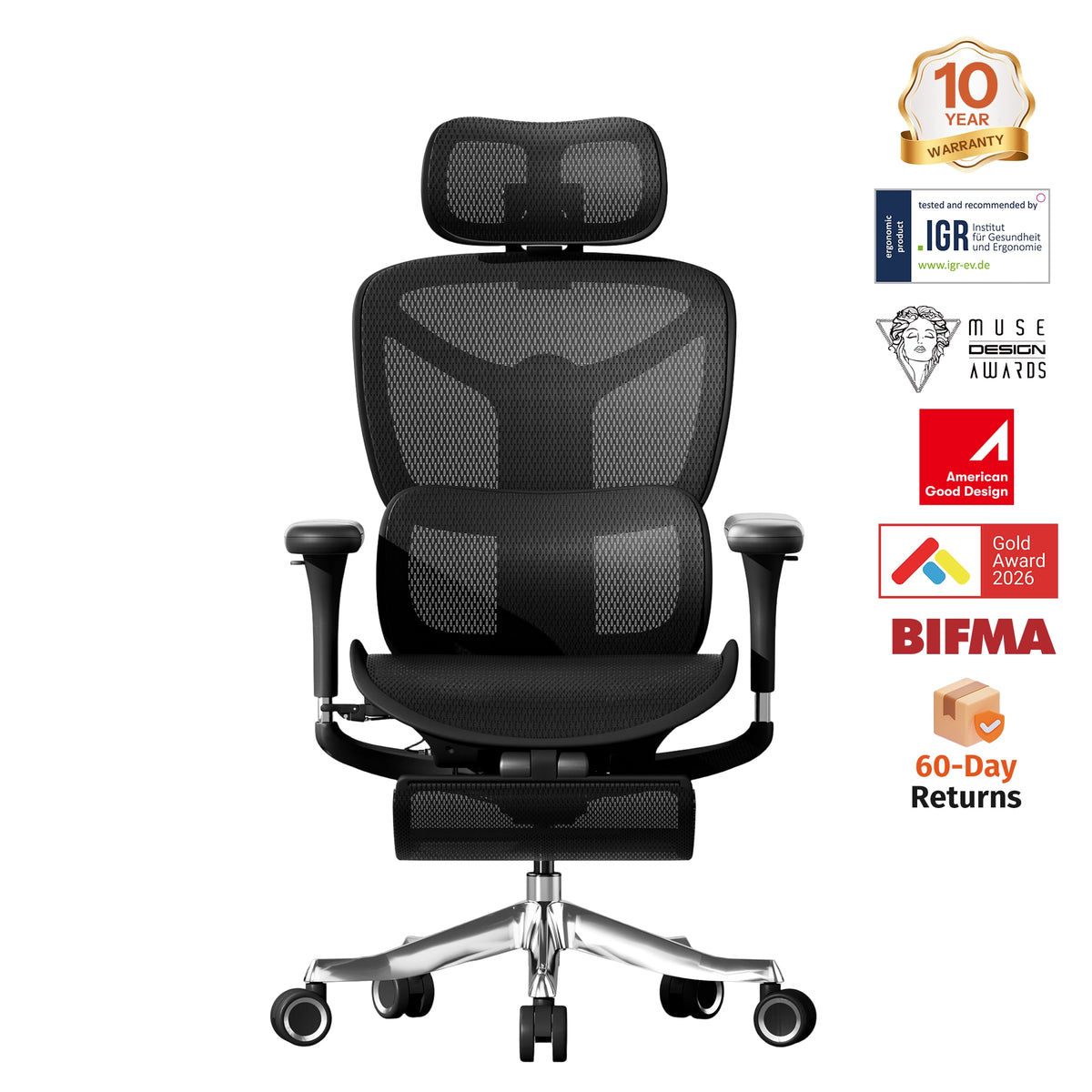
Why Is the Welax S9 Pro Suitable for Long Hours at a Desk?
Based on the selection criteria discussed above, the Welax S9 Pro combines seat fit, lumbar and back support, and posture adjustment rather than focusing on a single feature.
It offers 2.2 inches of seat depth adjustment, allowing users to adjust thigh support according to leg length. The backrest provides five height settings across an adjustment range of approximately 1.38 inches.
Its adaptive lumbar support responds to changes in body position and also allows fine forward-and-back adjustment and locking. These features help the chair accommodate different torso proportions and sitting postures.
How Does the Chair Maintain Support From Focused Work to Reclined Rest?
The S9 Pro offers three recline angles—105°, 116°, and 130°—corresponding to a more upright working position, light relaxation, and a more pronounced recline.
Its 6D adjustable armrests offer height, rotation, lateral, and forward-and-back adjustments and can move with the reclining motion. The 3D headrest supports height and multi-angle adjustment.
For users who change positions repeatedly throughout the day, ease of adjustment also deserves attention. The S9 Pro combines seat height, seat depth, and backrest recline adjustments into a one-hand control system.
Together with its breathable mesh seat and backrest, these features make it easier to adjust the chair between different working positions.
View the Detailed Features of the Welax S9 Pro Ergonomic Chair
Conclusion: What Should an Ergonomic Office Chair for Long Hours Offer?
When choosing the best ergonomic office chair for long hours, priority should be given to body dimensions, lumbar and backrest fit, the ability to move between commonly used sitting positions, and the convenience of everyday adjustments.
Compared with an especially soft cushion or a longer feature list, a chair's ability to maintain a suitable fit over extended use is a more meaningful measure of its practical value.
With adjustable seat depth, adaptive lumbar support, an adjustable backrest, 6D armrests, and multi-position recline, the Welax S9 Pro offers a range of adjustments suited to different working postures.